 Moonwalk
 Connect Moonwalk to Claude
The Moonwalk connector lets Claude work in your Moonwalk bases from a Claude chat: read your boards and tables, write to them, build widgets and set up automations.
What it does
Moonwalk is a workspace of boards, tables, widgets, automations and files (overview). The connector gives Claude the same actions you have in the Moonwalk app, as tools it can call. Ask in plain words and Claude picks the tools.
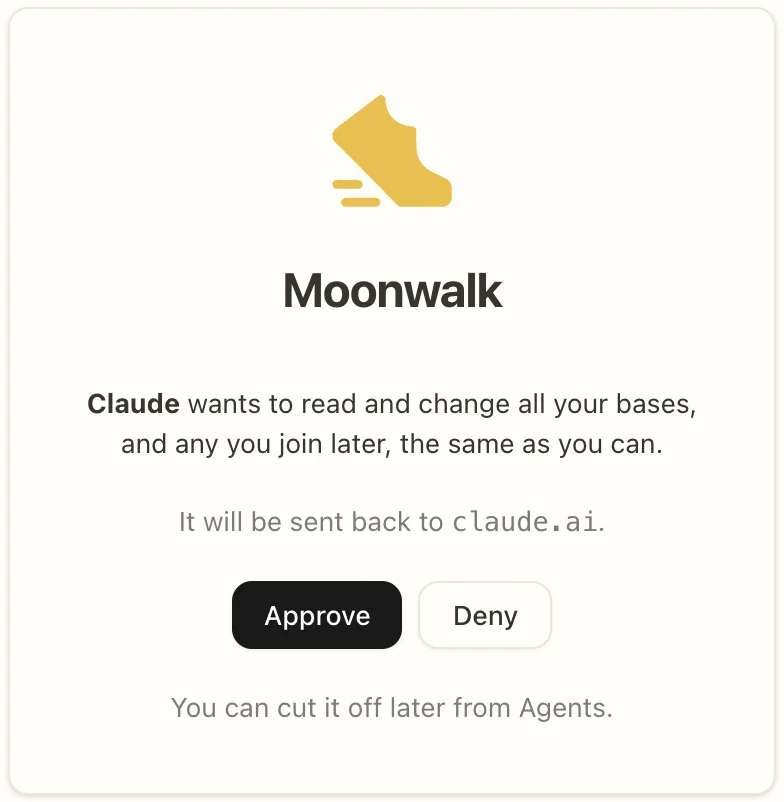
- Connecting once reaches every base you are a member of, and any you join later. Moonwalk's consent screen says so before you approve.
- Every tool call names the base it works in, and Claude can list the bases you are in.
- Anything Claude writes is recorded as yours, marked as made by Claude, so the base's history shows who did what.
Who can use it
- Anyone with a Moonwalk account. Sign up at moonwalk.now.
- On any paid Claude plan.
- Claude reaches only the bases your own account is in. Each person connects with their own account.
Connect
From Claude's connector directory
Once Moonwalk is listed in Claude's connector directory, open its page there and press Connect. Moonwalk opens and asks whether Claude may use your bases. Sign in if asked, then press Approve.
As a custom connector
Until then, add Moonwalk yourself. It takes a few minutes.
Name: Moonwalk
Remote MCP server URL: https://moonwalk.now/api/mcp
-
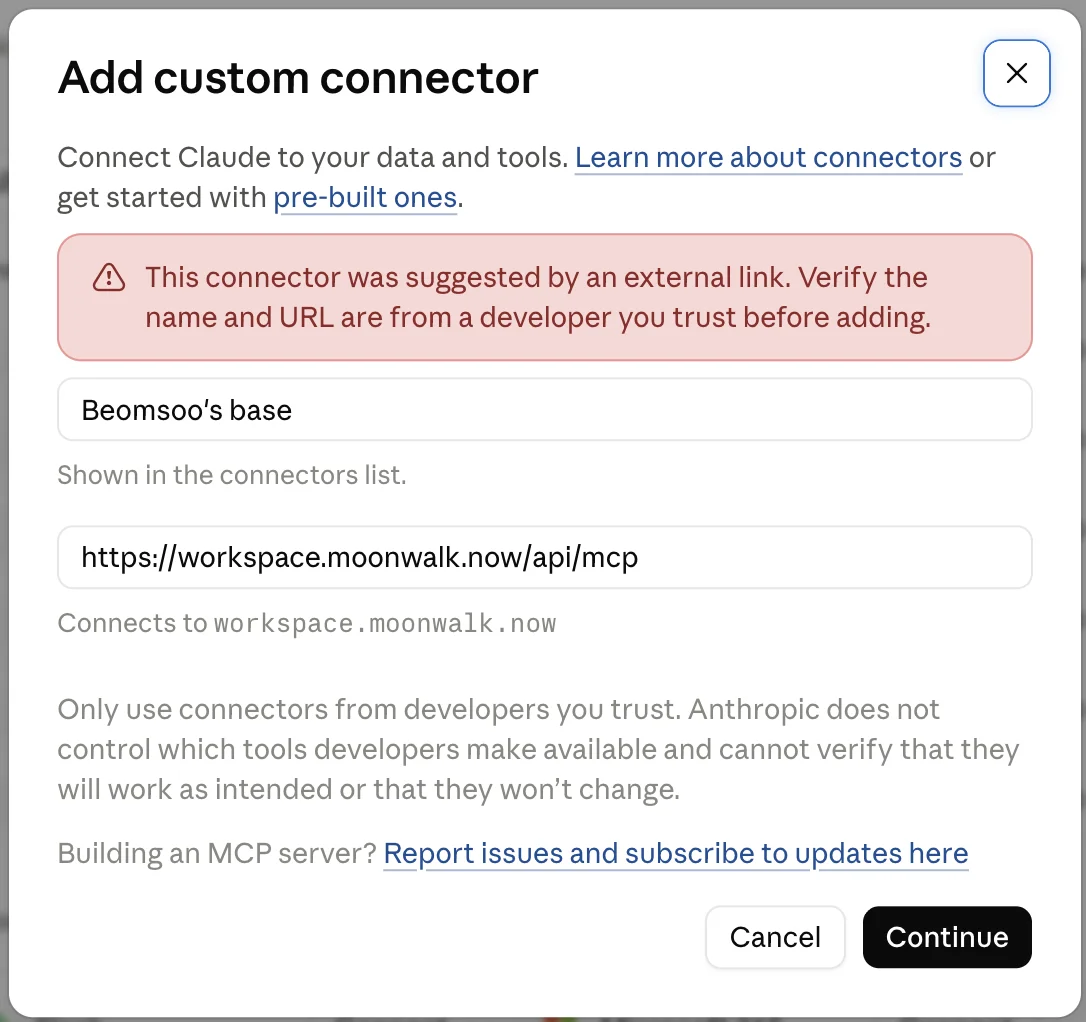
In claude.ai, open Settings → Connectors (claude.ai/customize/connectors) and press Add custom connector. Enter the name and URL above, then press Continue.
-
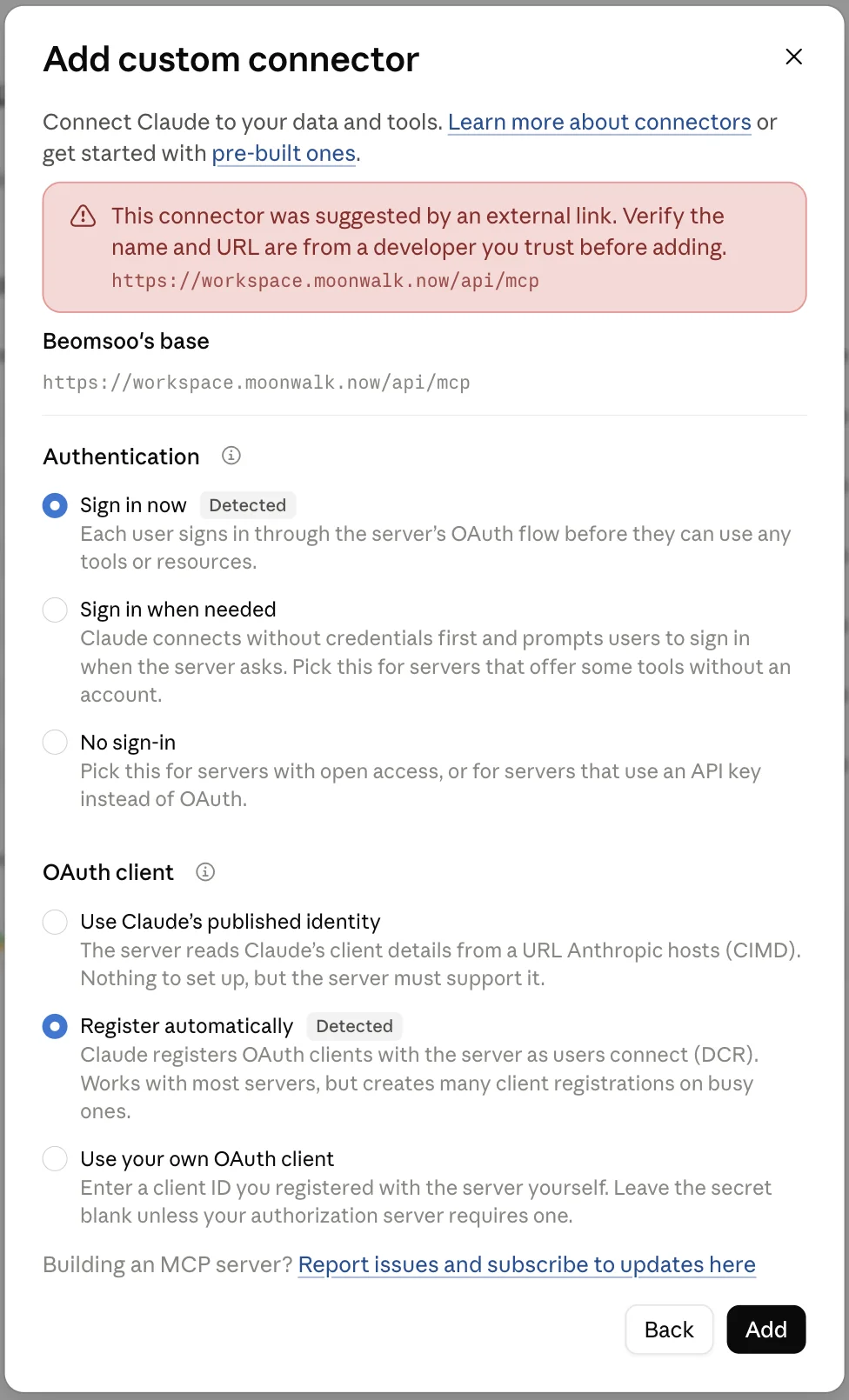
Leave both choices as they are: Sign in now and Register automatically are already picked. Press Add.
-
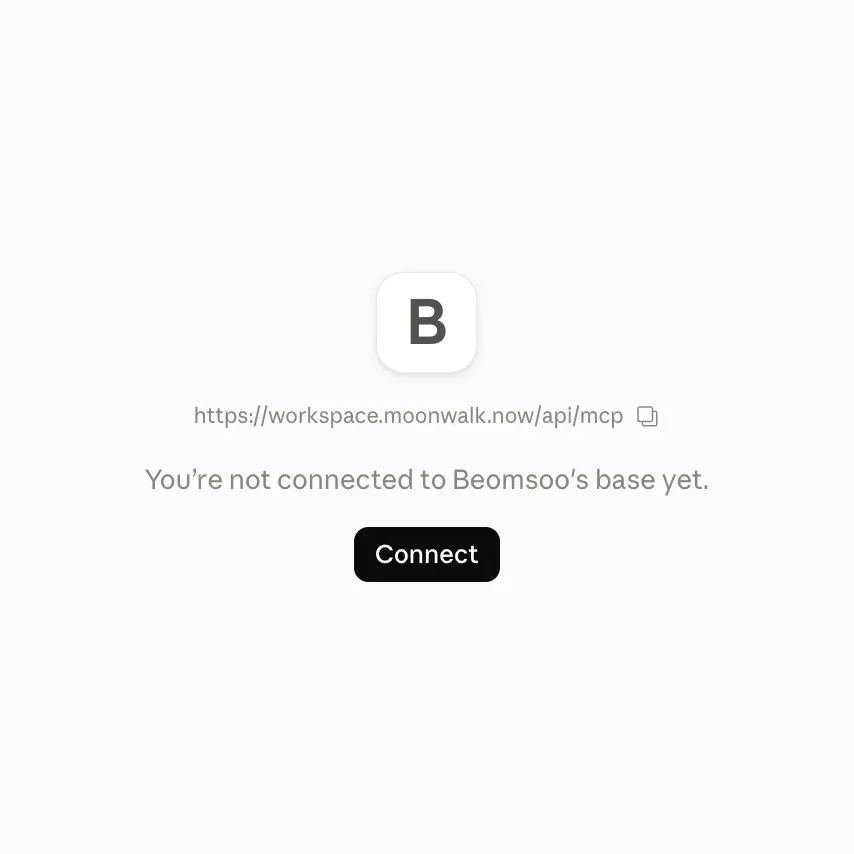
The connector is added but not connected yet. Press Connect.
-
Moonwalk opens and asks whether Claude may read and change all your bases. Sign in if asked, then press Approve.
-
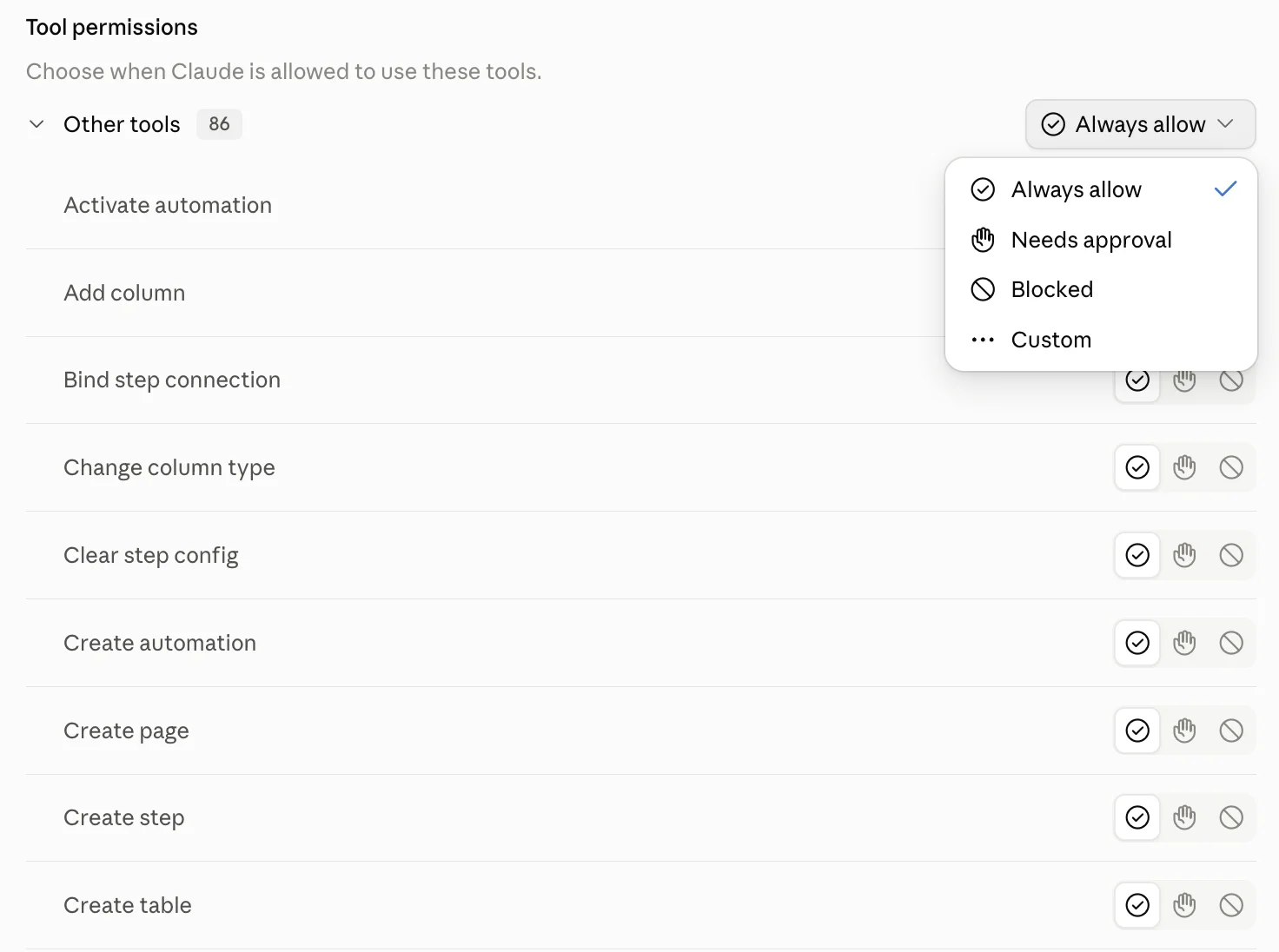
claude.ai asks when Claude may use Moonwalk's tools: Always allow, Needs approval or Blocked, for all of them or tool by tool. You can change this later in the connector's settings.
-
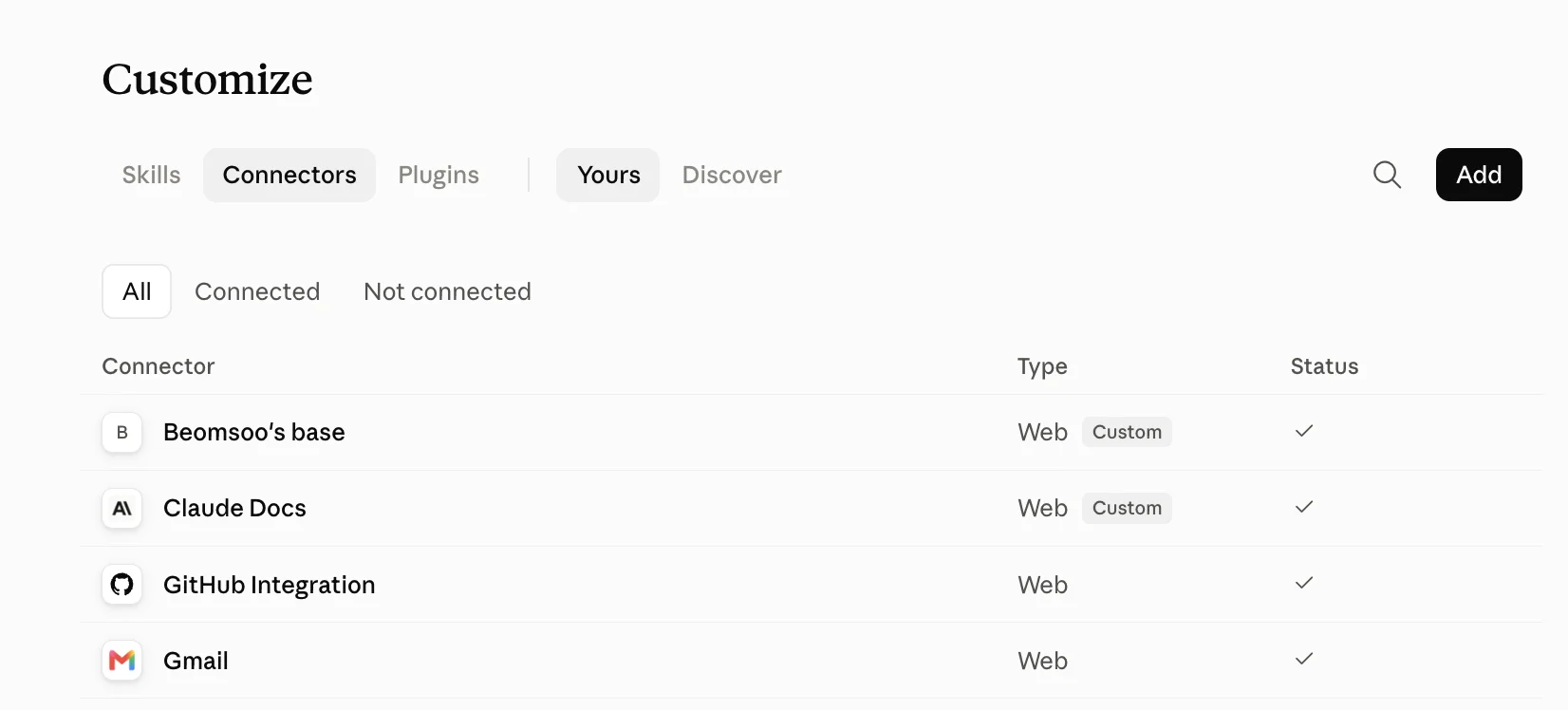
Moonwalk is in your connector list, connected.
-
Start a new chat and ask Claude about your base.
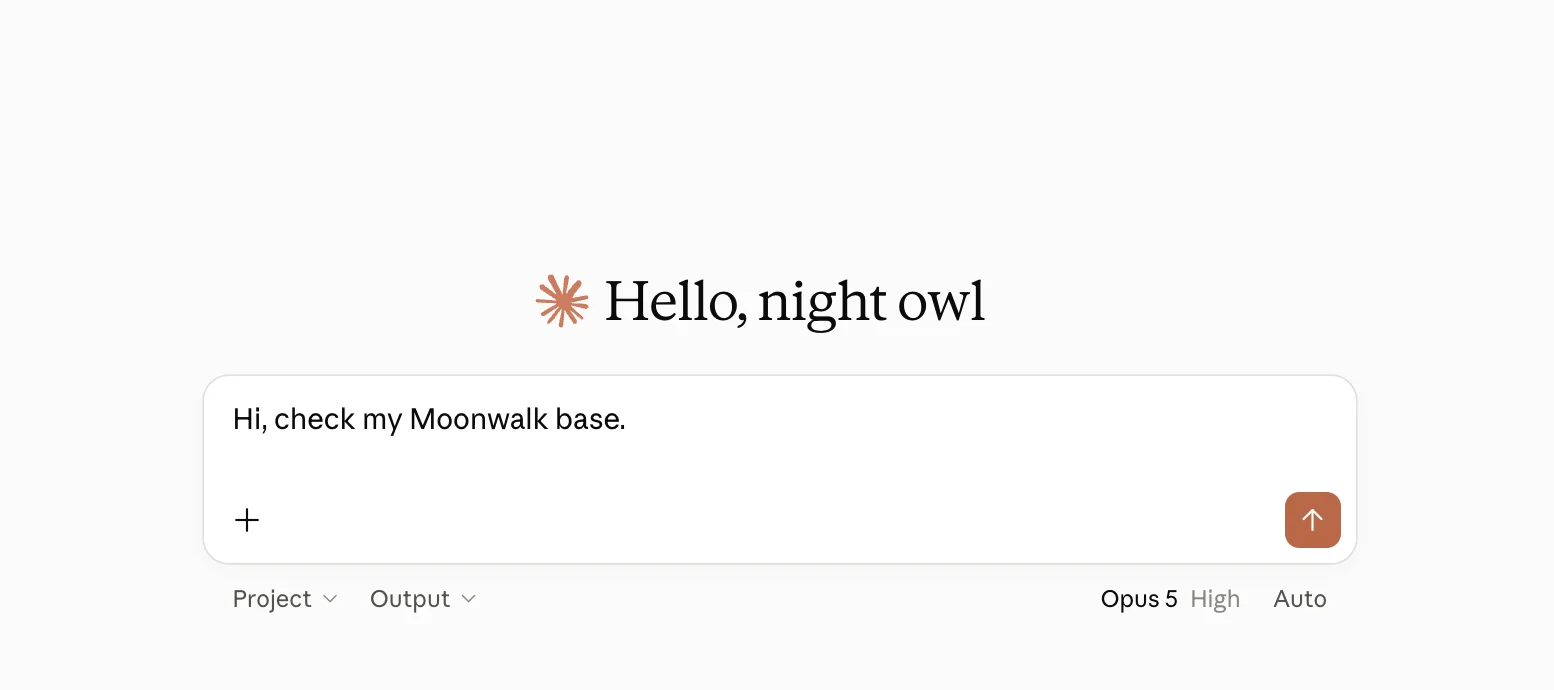
Captured on claude.ai in September 2026, under an earlier address and name. Type the name and URL shown above.
What Claude can do
Each tool is labelled by what it does to your base: it reads, it adds something new, or it changes or removes something that is there.
| Area | Reads | Adds | Changes |
|---|---|---|---|
| Boards | List, open and search boards | Create a board, restore one from the trash | Edit, move, lock, publish or unpublish, delete |
| Tables | List tables, read rows, run read-only SQL | Create a table or column, restore one | Write rows, rename, change a column's type, delete |
| Widgets | List and open widgets, read their data and errors | Create a widget, restore one | Update, delete |
| Automations | List automations, their steps, settings and runs | Create an automation or a step, restore one | Edit steps and triggers, switch on or off, run one now, run a Python snippet, delete |
| Files | List, read and search files | Make a folder, upload a file, restore one | Write, edit, move, delete |
| Connections | List the base's connections and what an account can do | Ask you to add a connection | Attach one to an automation step, withdraw an ask, delete |
| Versions and undo | List past versions and open one | Revert to a version, undo the last change |
- Claude never sees a password or an API key. It can ask for a connection, and you add the key or sign in to the account yourself, in Moonwalk.
- Running an automation, running a Python snippet and publishing a board can reach beyond your base: to the web, or to anyone with the board's link. These tools are labelled so.
- It cannot invite people, change who is in a base, or read or reset your Moonwalk sign-in or tokens.
Changes you can take back
- Claude asks before a change. Tools that only read are labelled read-only, and tools that edit or delete are labelled destructive. Claude's permissions run on these labels: read-only tools can run without asking, and destructive ones prompt you first. You can also set any tool to Needs approval or Blocked.
- Deleted things go to the trash for 30 days. A deleted board, table, widget, automation or file can be restored from its section's trash, by you or by Claude. Claude cannot empty a trash.
- Edits can be undone. An edit Claude makes to a board or to table rows is one step of undo, so 400 changed rows come back at once. Boards, tables, widgets and automations also keep past versions you can revert to.
Example prompts
- “Check that Moonwalk is connected and tell me what you can see in my base.”
- “Make a table of this week's meetings with date, attendees and notes, and put it on a board called Weekly.”
- “Build an automation that fetches the top Hacker News stories every morning and saves them to a table.”
Your data
- Moonwalk sends Claude only what a tool call returns: the board, rows or file Claude asked for. What Claude does with it follows Anthropic's own terms.
- Your base stays in Moonwalk. See the privacy policy and terms.
Disconnect
Either side cuts Claude off at once:
- In claude.ai, open the connector in Settings → Connectors and disconnect or remove it.
- In Moonwalk, open Agents → Outside agents and press Revoke beside Claude. This cuts it off from every base you are in.
Help
Write to support@moonwalk.now. Say which agent you connected and what you asked it.